
Versions, staleness, and replay
Compare answer versions
Regenerate in place adds another answer version to the same node. Switch between versions, remove an unwanted version, or restore an earlier one. Use a sibling node when the comparison should remain visible on the canvas.
Understand stale answers
Generated nodes record a fingerprint of their upstream context. Editing an ancestor, changing a relevant wire, or switching the active upstream version can mark dependent nodes Stale.
Stale means “generated from an older input,” not “incorrect.” Inspect the context difference before deciding what to update.
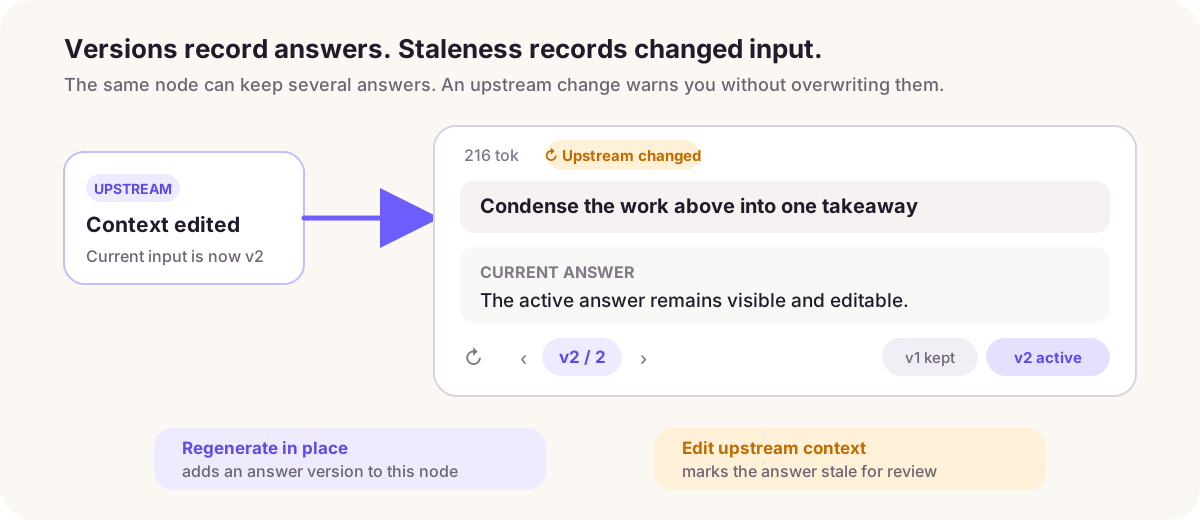
The Upstream changed mark only reports that the input changed. Inspect the difference in the context tree and next-request preview before choosing whether to replay.
Replay dependent work
- Review the stale nodes and estimated token cost.
- Start Replay.
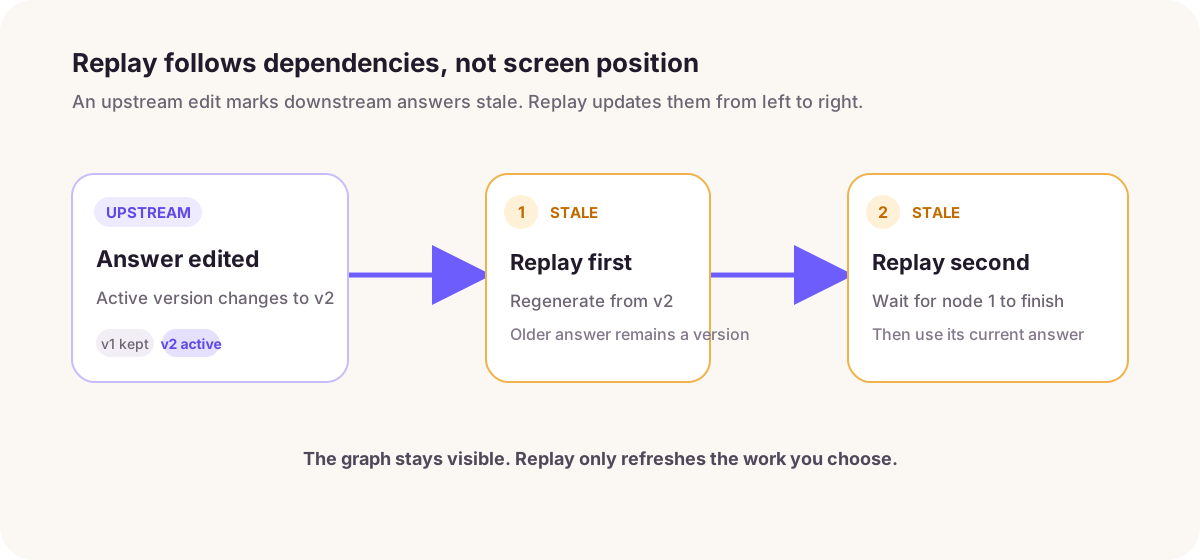
- ThoughtDAG regenerates affected nodes in dependency order.
- Stop when the remaining updates are no longer useful.
Dependency order prevents a downstream answer from regenerating before the upstream answer it needs has finished.
Replay updates existing downstream nodes along the current structure. If you would rather test the same question with another context or model, create a new sibling from the same parent so both answers remain side by side. Use replay to refresh existing work, and a new node to compare answers or models.
Use a sliding reviewer
A reviewer is an ordinary conversation node with a critic role and a red dashed sliding-review wire. It can re-evaluate newly added work while retaining previous review versions. You can question or branch from it like any other node.