
How to branch for a follow-up question without interrupting the main thread
You are discussing how to improve reading habits with an AI, and a specific phrase in its response—"bookmarks are a one-way archive"—sparks an idea you want to dig into. However, you haven't finished discussing the overall reading plan yet.
ThoughtDAG is an open-source AI conversation canvas. You can branch from a passage in an answer, keep the original discussion, and develop both questions separately. Later, you choose which parts to connect to a follow-up.
1. Start from the text snippet
Double-click the main node to open the sidebar. Highlight the specific text you want to investigate within the AI's answer, and click the "Explore" button that appears. The selected text is now pinned above your input box. Type your new question, for example, "How can I make old bookmarks resurface?", and send it.
An orange branch will appear on the canvas extending from the original node. The selected text explains the origin of the follow-up, but the new branch still inherits the upstream path of the conversation. The selected words are not the branch’s only context.
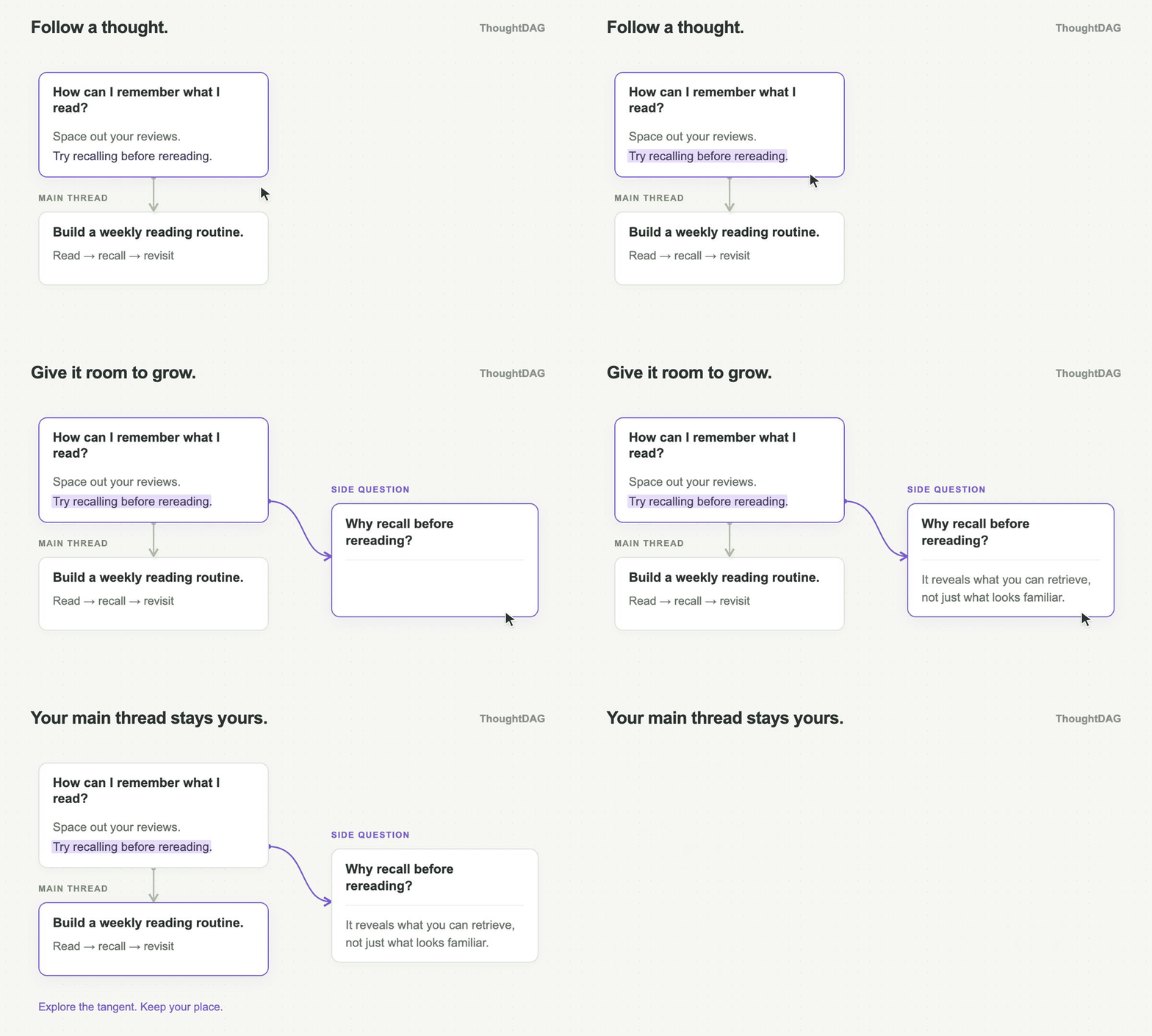
Illustration: branch from “Try recalling before rereading” while keeping the main reading plan. The branch inherits its upstream path, not only the selected sentence.
2. Advance both questions separately
You can now continue discussing "how to revisit old bookmarks" on this separate branch. When you are ready to return to the broader reading plan, simply re-select the original main-thread node on the canvas and continue your follow-up questions from there.
Both routes share the early context of the conversation, but you don't have to mix their subsequent explorations together. By keeping both directions on the canvas, you can compare what conditions they rely on and what evidence they still lack. Branches that turn out to be dead ends can just be left as they are.
As the graph grows, zoom out to find your place, then move closer to read the detail.
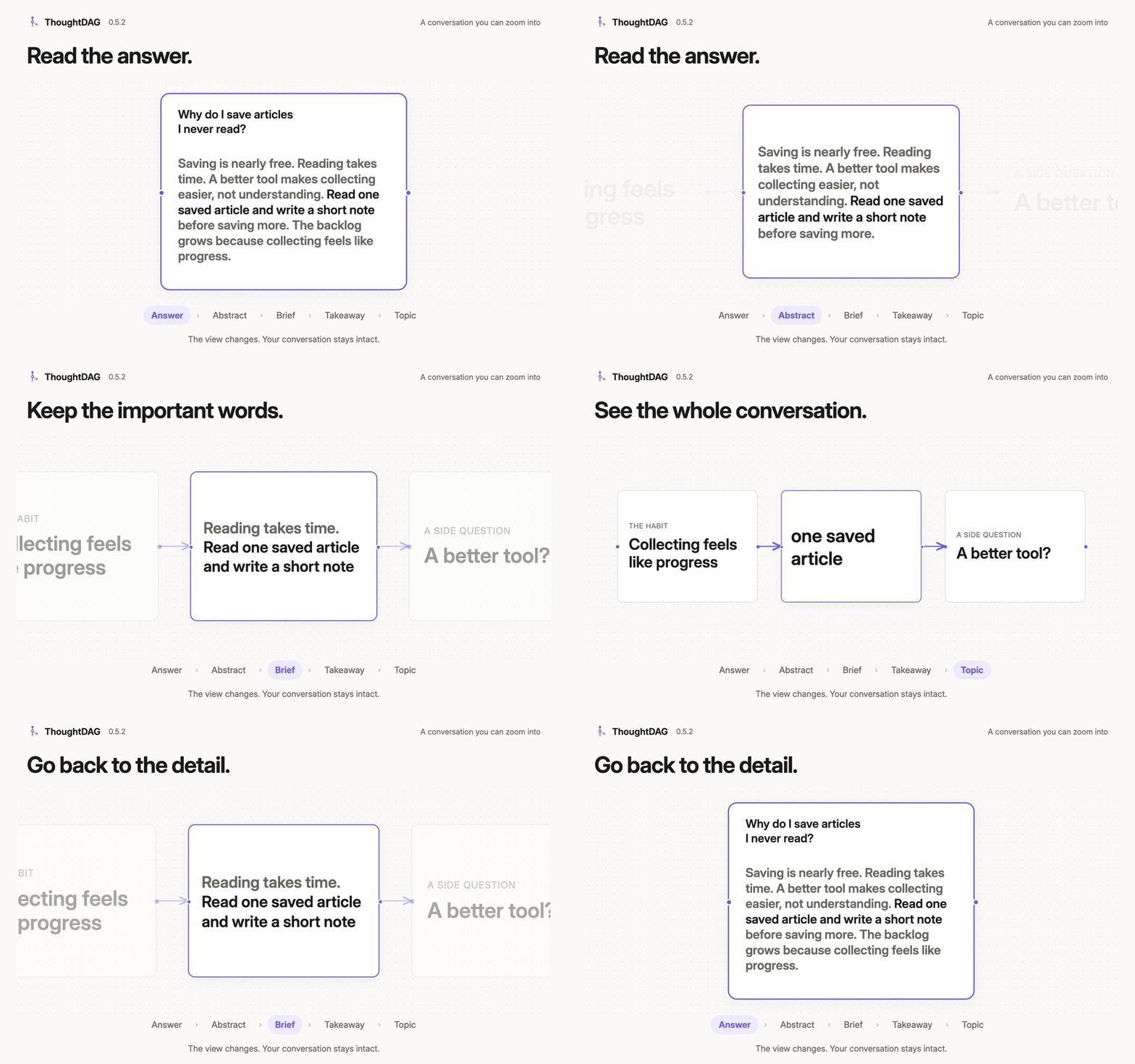
Illustration: the visible level of detail changes; the original text stays available.
3. Connect the useful parts when ready
Suppose the branch suggests a weekly bookmark review, and you want to include it in your reading plan. Return to the main thread and continue to a new downstream node. Connect the useful branch node to that new node, then regenerate its answer.
Alternatively, use @ in the main thread’s follow-up box to select a named branch node and ask: “Incorporate the weekly bookmark review schedule into the plan.” The reference joins the new question. Use a new downstream node as the meeting point; do not wire a branch back into its own ancestor.
Check the wire direction and context preview to confirm which content you added. A summary reference carries the referenced question and answer plus its upstream question trail. It does not make those claims a conclusion you have accepted.
Use this workflow to compare research directions, question evidence, or explore alternatives. For a straightforward question, a single thread may be enough.
Related guides: Getting started · Context controls · Conversations and branches · Session Atlas